Time Off Dashboard Overview
Written By Christopher Scott
Last updated Over 1 year ago
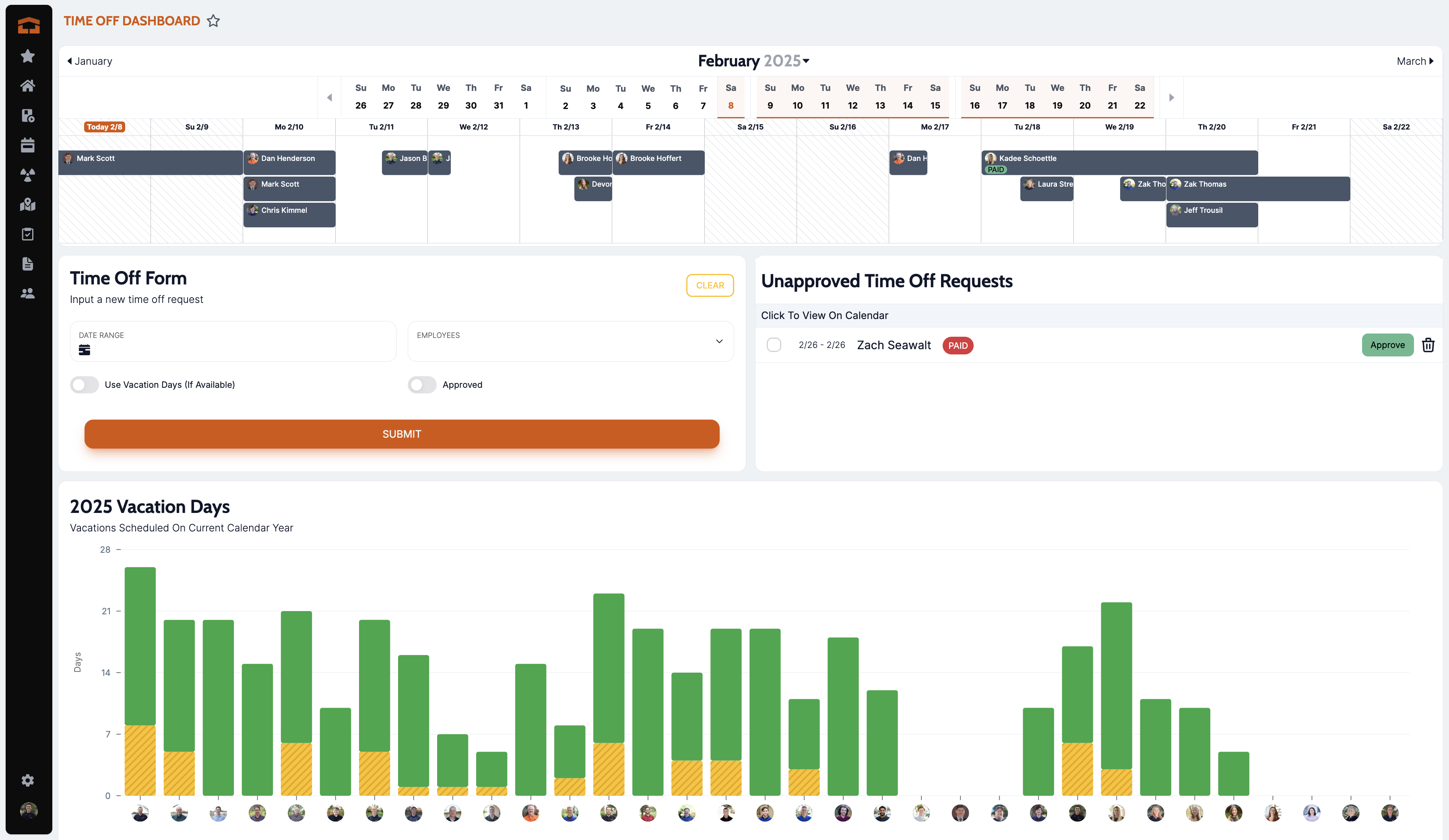
The Time Off Dashboard is a comprehensive feature within the Attik application designed to manage employee time-off requests efficiently. It provides both employees and administrators with the tools to request, approve, and track vacation days.
Features
1. Request Time Off
Employees can submit requests for time off using a user-friendly form.
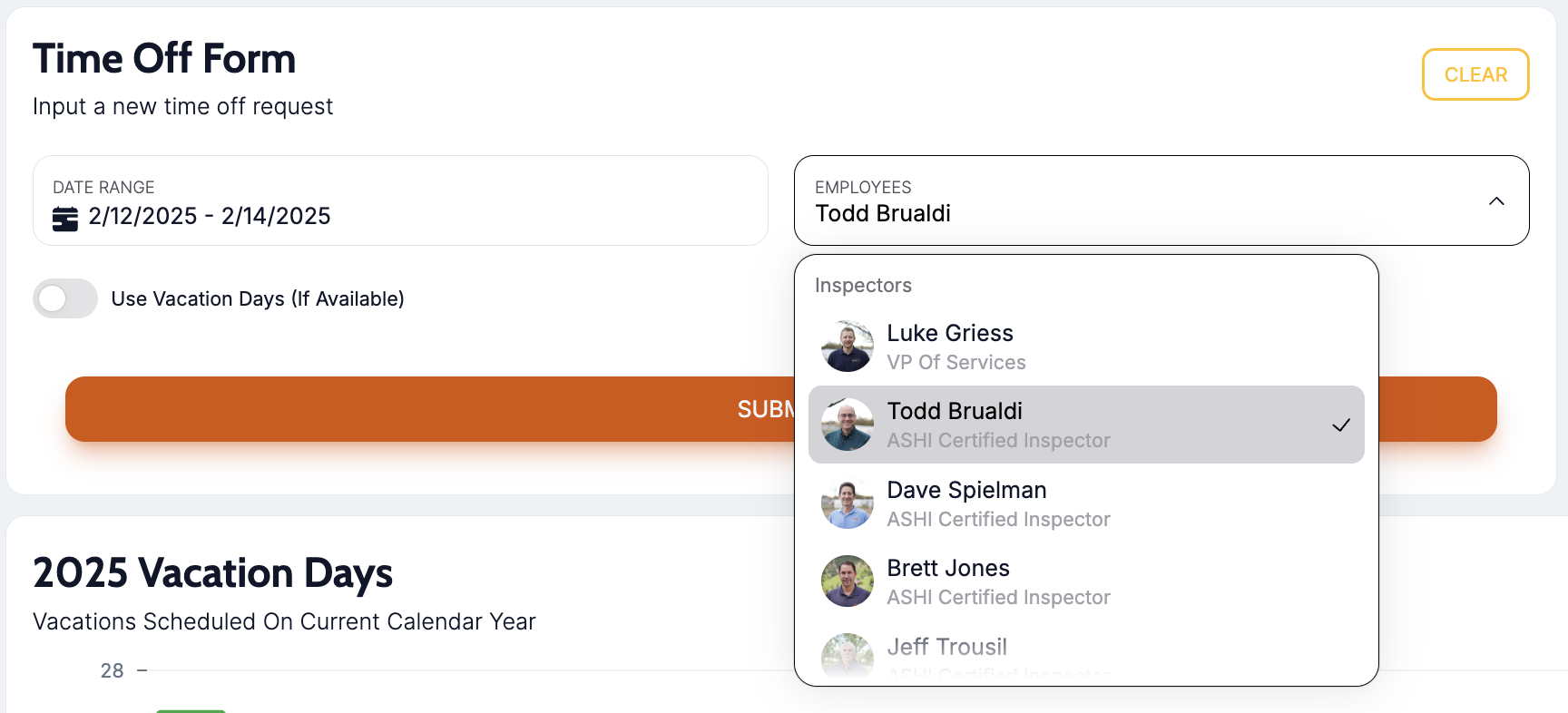
The form includes options to specify the start and end dates, whether the time off is paid or unpaid, and any additional notes.
2. Calendar View
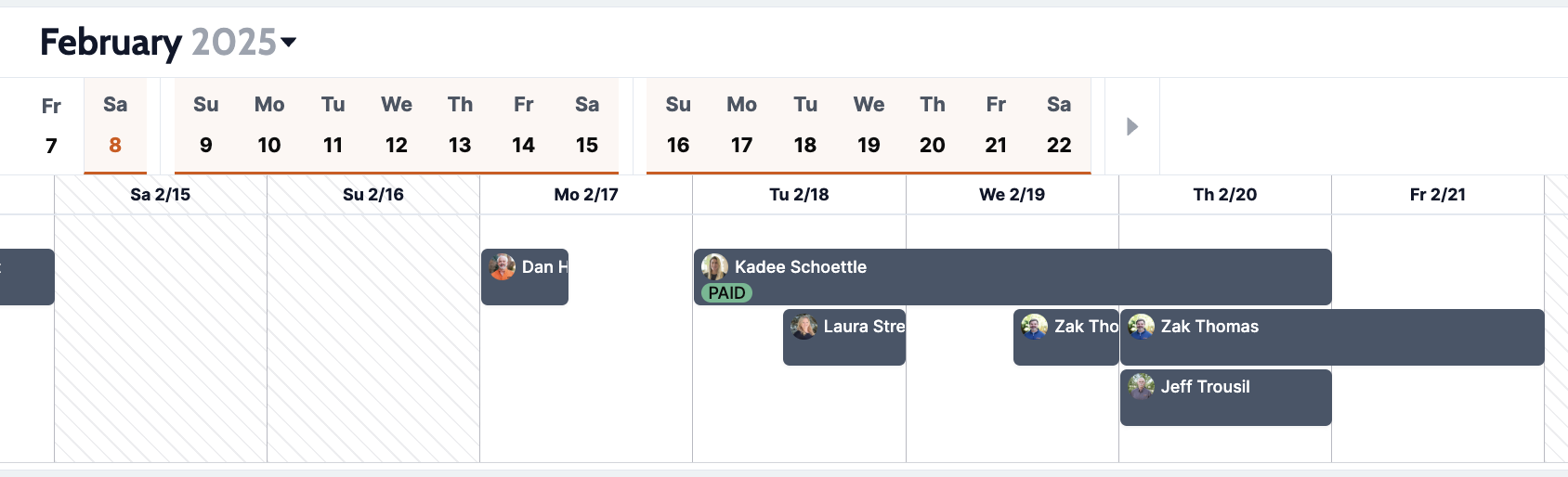
A visual calendar displays all scheduled time-off events.
Employees can see their own approved and pending requests.
Administrators can view all requests, providing a comprehensive overview of team availability.
3. Approval Workflow
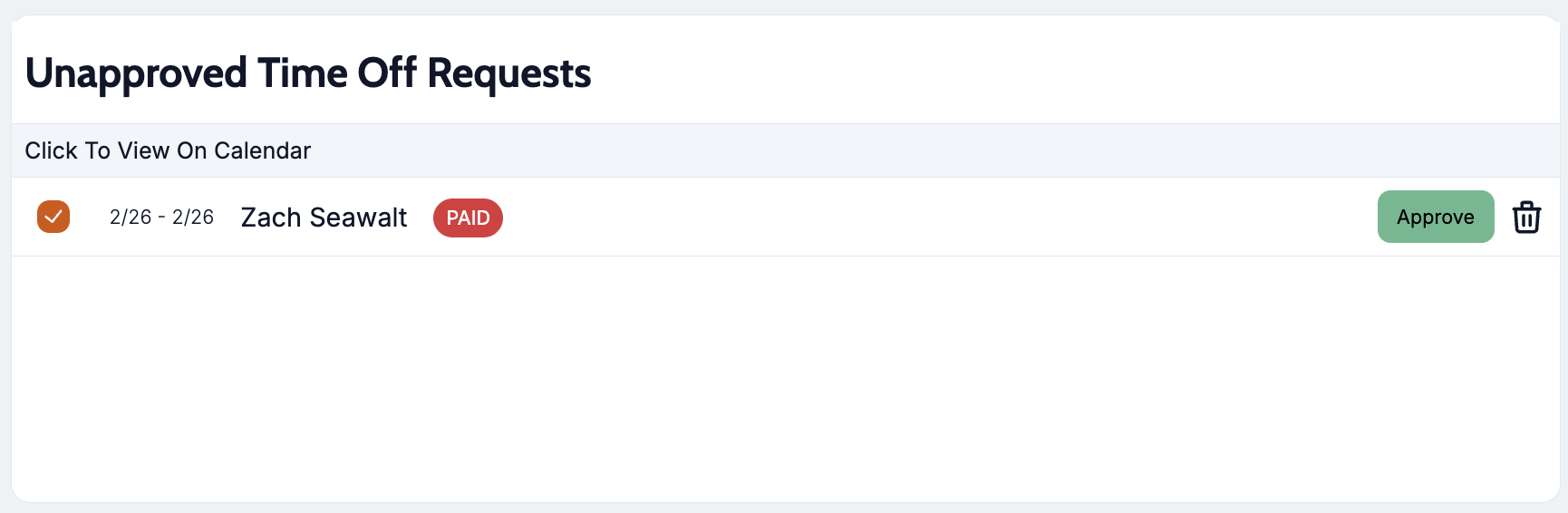
Administrators have the ability to approve or deny time-off requests.
Notifications are sent to employees upon approval or denial of their requests.
4. Graphical Insights
Bar graphs on admin view provide insights into vacation days used, remaining, and any days taken beyond the allocated amount.
This helps both administrators track vacation usage throughout the year.
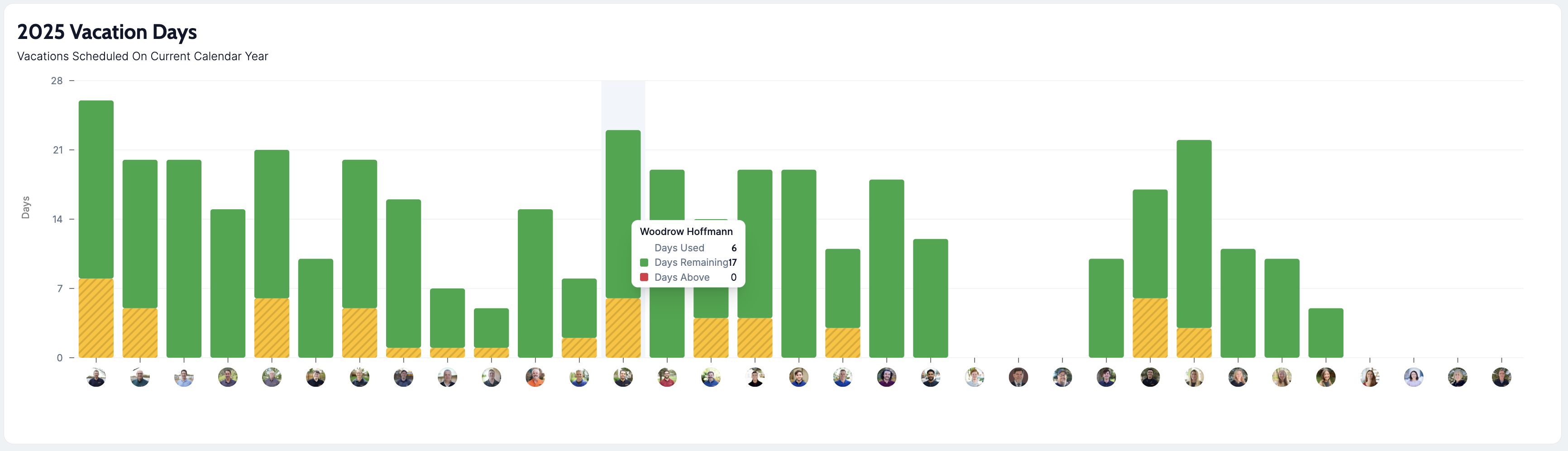
Employee view shows individual vacation days remaining so employees can make decisions about their benefits.
User Roles
1. Employee View
Employees can submit time-off requests and view their status.
They can see a breakdown of their vacation days used and remaining.
Employees have access to a personal calendar view of their time-off schedule.
2. Admin View
Administrators can view all employee requests and approve or deny them.
They have access to a detailed list of unapproved requests.
Admins can view a comprehensive calendar and graphical insights for all employees.
Requesting Time Off
1. Form Submission
Employees fill out a form specifying the dates and type of time off.
The form includes a date range selector and options for paid or unpaid leave.
Upon submission, the request is sent to the administrator for approval.
2. Approval Process
Administrators review pending requests and decide to approve or deny them.
Approved requests are updated in the system, and employees are notified.
Denied requests are also communicated to the employee with reasons if necessary.
Important Considerations
1. Permissions
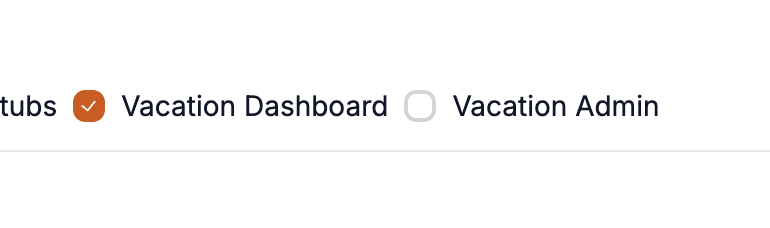
Only users with 'Vacation Admin' permissions can approve or deny requests.
Employees can only view and manage their own requests unless they have admin permissions.
Non-admins can only request time off for themselves.
Data Handling
The vacation days are set under employee settings.
Vacation data is calculated using a dedicated function to ensure consistency across the application.
3. User Experience
The interface is designed to be intuitive, with clear navigation between the calendar, form, and list views.
Responsive design ensures usability across different devices.
Wrap Up
The Time Off Dashboard in Attik is a powerful tool for managing employee vacations, providing both employees and administrators with the necessary features to handle time-off requests efficiently. By offering a clear distinction between employee and admin views, the system ensures that all users have access to the information and tools they need to manage their time off effectively.
Add context