Adding Payroll Adjustments
Make adjustments to an employees pay outside of split charges or salary, etc.
Written By Christopher Scott
Last updated Over 1 year ago
Adjustments in the payroll module allow for modifications outside of standard commission splits based on services. These adjustments can be positive or negative and are used for reimbursements, corrections, or additional pay types.
1. Accessing Adjustments
Adjustments can be accessed through:
The main payroll module.
The floating menu within a payroll run.
2. Types of Adjustments
a) Regular Adjustments
Used for modifying pay outside of standard calculations.
Examples:
Reimbursement for company expenses.
Corrections for overpayment or underpayment.
Adjustments can be positive or negative.
b) Categories
Categories can be set by you and can be configured in payroll settings.
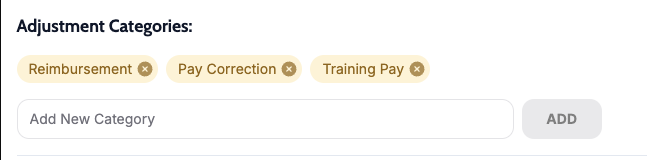
Default categories are reimbursements and pay corrections.
c) Taxable vs. Non-Taxable Adjustments
Users can designate whether an adjustment is taxable based on reimbursement status.
3. Mileage Adjustments
Used to reimburse employees for mileage.
Input their mileage daily or all at once for the period.
Inspectors have a dedicated option to import mileage directly.
Mileage pay is based off the mileage pay in payroll settings.
4. Hourly Adjustments
Employees can submit their own hours.
Admins can enter and adjust hours manually.
Hourly pay amounts are based off the hourly pay settings in the inspector settings or office settings.
5. Sick Pay Adjustments
Used to add sick pay hours for employees.
The date of sick pay must be within the payroll period for correct calculation.
Sick pay uses the hourly sick pay number within the inspector settings or office settings.
6. Adjustment Visibility
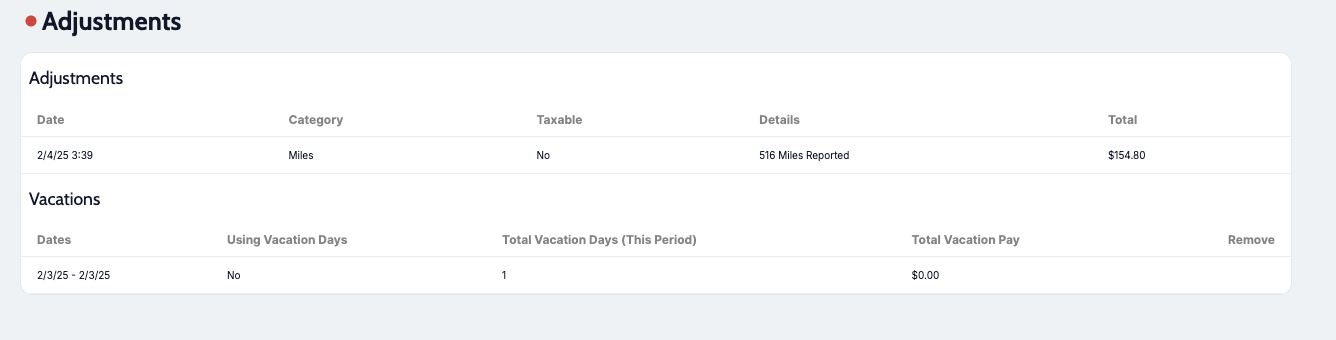
Adjustments appear at the bottom of an individual’s payroll sheet.
All changes are reflected in the final payroll calculation.
By utilizing these adjustment options, companies can ensure accurate payroll processing while accounting for various payment modifications.