Service Settings That Relate To Payroll
Admin fees and flat rate pay
Written By Christopher Scott
Last updated Over 1 year ago
When configuring services in your payroll module, two key settings affect payroll calculations:
1. Admin Fees
By default, payroll is calculated on a commission-based split.
Some companies apply an admin fee before splitting the payment.
Example:
A job costs $100, and the inspector’s split is 50%.
Without an admin fee, the inspector receives $50, and the company retains $50.
With a $10 admin fee, the remaining $90 is split, giving the inspector $45 and the company $45.
The admin fee is set per service and helps recover costs before profit distribution.
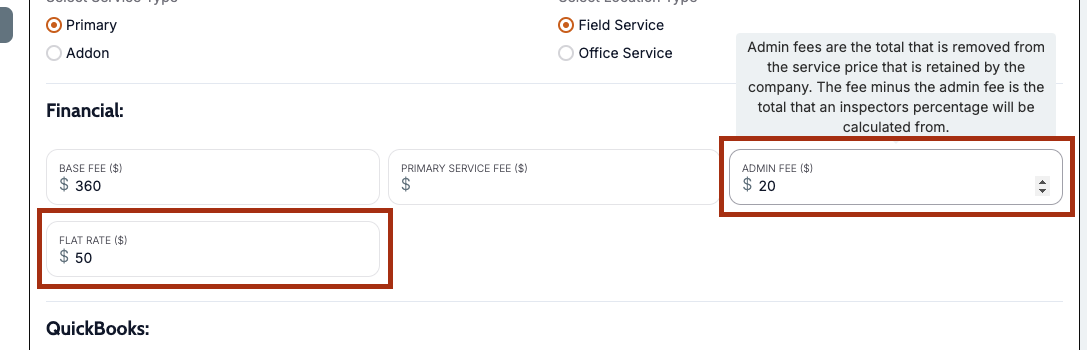
2. Flat Rate
Instead of a commission split, some services may be paid at a fixed rate.
Example:
A radon test can be assigned a flat rate (e.g., $30 or $50).
The inspector will receive this fixed amount regardless of the service’s total price.
Flat rates apply whether the service is assigned to a primary inspector or as part of an event.
These are the only two payroll-related settings under services. Other payroll configurations are managed within the Inspectors and Payroll Settings sections.